


To log in to the hosting package or server management (Controller), follow the instructions below:
- Go to the login page provided by our business (https://controller.prootzos.com).
- Enter the email and password you received when activating the service.
- Click Log in.
Alternative and Easier way to log in
- Log in to your account, in the Customer Area (https://my.prootzos.com).
- Menu: Services -> My Services
- Click on the service you want to log in to and you will be taken to the page with the service details (Img.01).
- In the Hosting Information tab, click on the button: Hosting Account Management
You will automatically be logged in to the management platform.
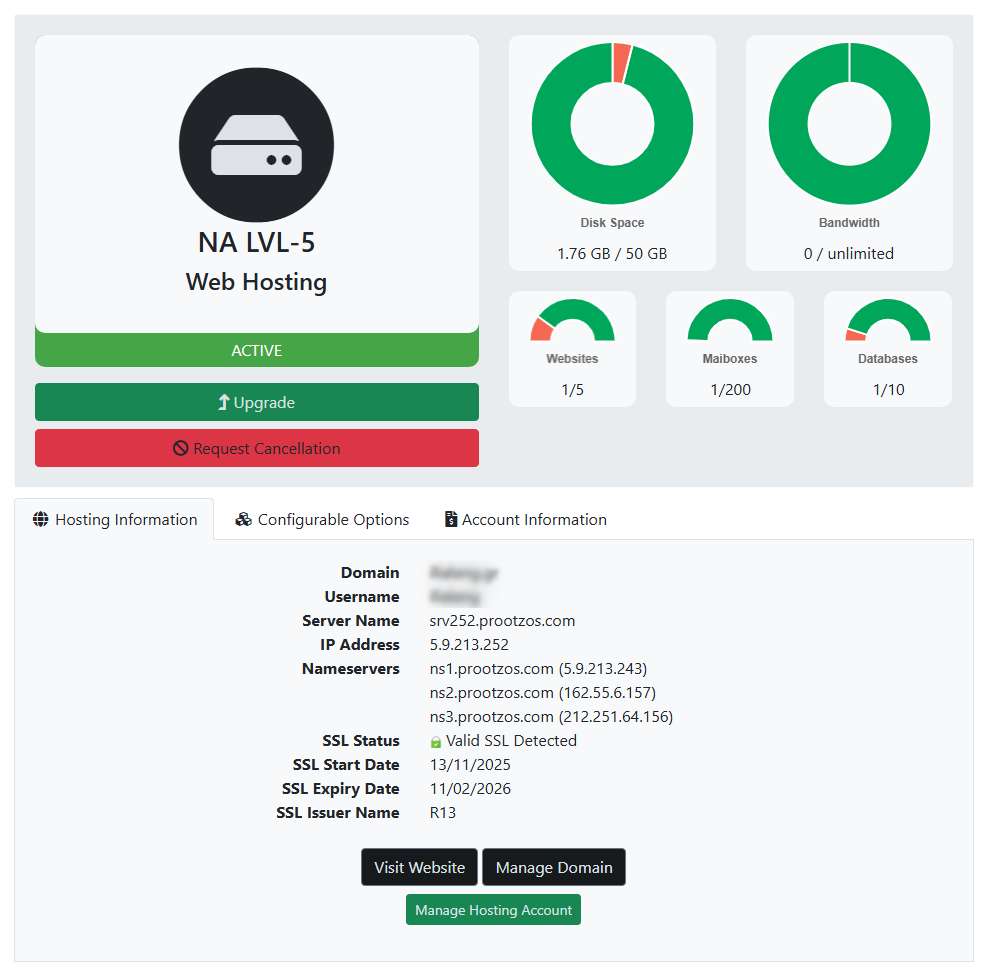
Img.01 - Client Area Hosting Service Dashboard at My.Prootzos.com
